Use the Search Feature
| NOTE: | ORBCOMM recommends that you always use the search features, available on every page, before reviewing the data presented. This eliminates unnecessary time wasted reviewing data that does not meet your query. Most pages also offer a drop-down menu for the optimal category for that specific page. |
-
At the top of most pages, in the optimal category field for that page, either type or use the drop-down to make your selection.

-
If available, use the Date Range drop-down menu to select a default date range for the data. For example, day or week.
NOTE: The calendar option is only available when you select the custom date range. Alternatively, you can specify a custom date range and, in some cases, also a span of time (clock time).
-
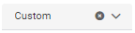
In the Date Range field, use the drop-down menu to select Custom.
-
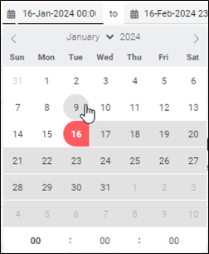
Click the first calendar field to access the calendar.

-
Click the start date for the search. If available, specify a start time (hour, minutes, seconds) on that day.
-
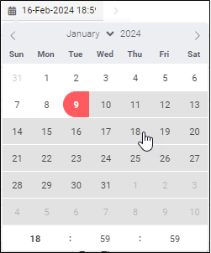
Click the second calendar field to access the calendar.

-
Click the end date for the search. If available, specify an end time (hour, minutes, seconds) on that day.
-
-
Click Search.